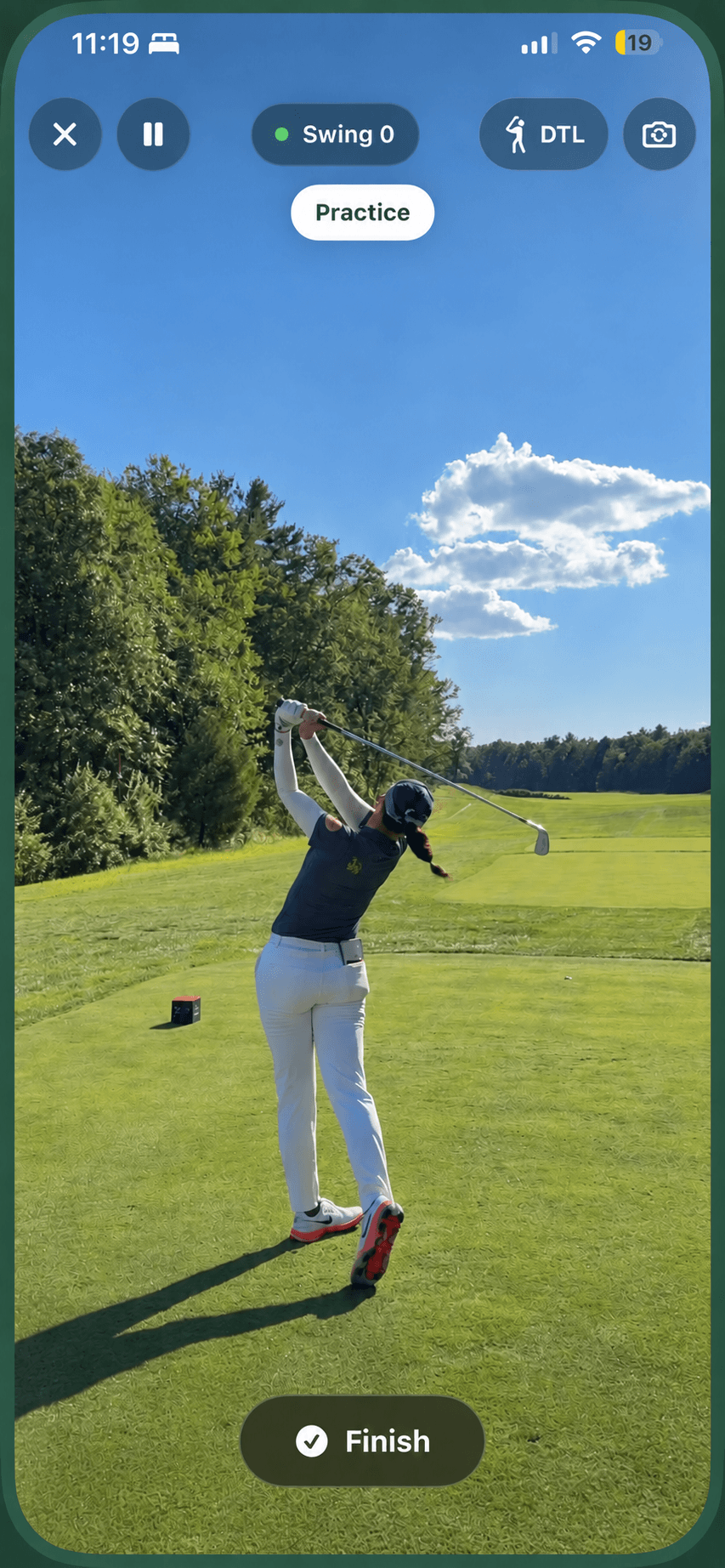
01
Automatic swing detection
Set up your phone and stay with your practice. Teeo detects your swings as you record.
AI golf practice companion
Teeo is an AI golf swing analyzer for iPhone. Record your swing, find your focus, and track your progress across every practice session.
Free recording · AI guidance with Pro
Made for everyday practice
01
Set up your phone and stay with your practice. Teeo detects your swings as you record.
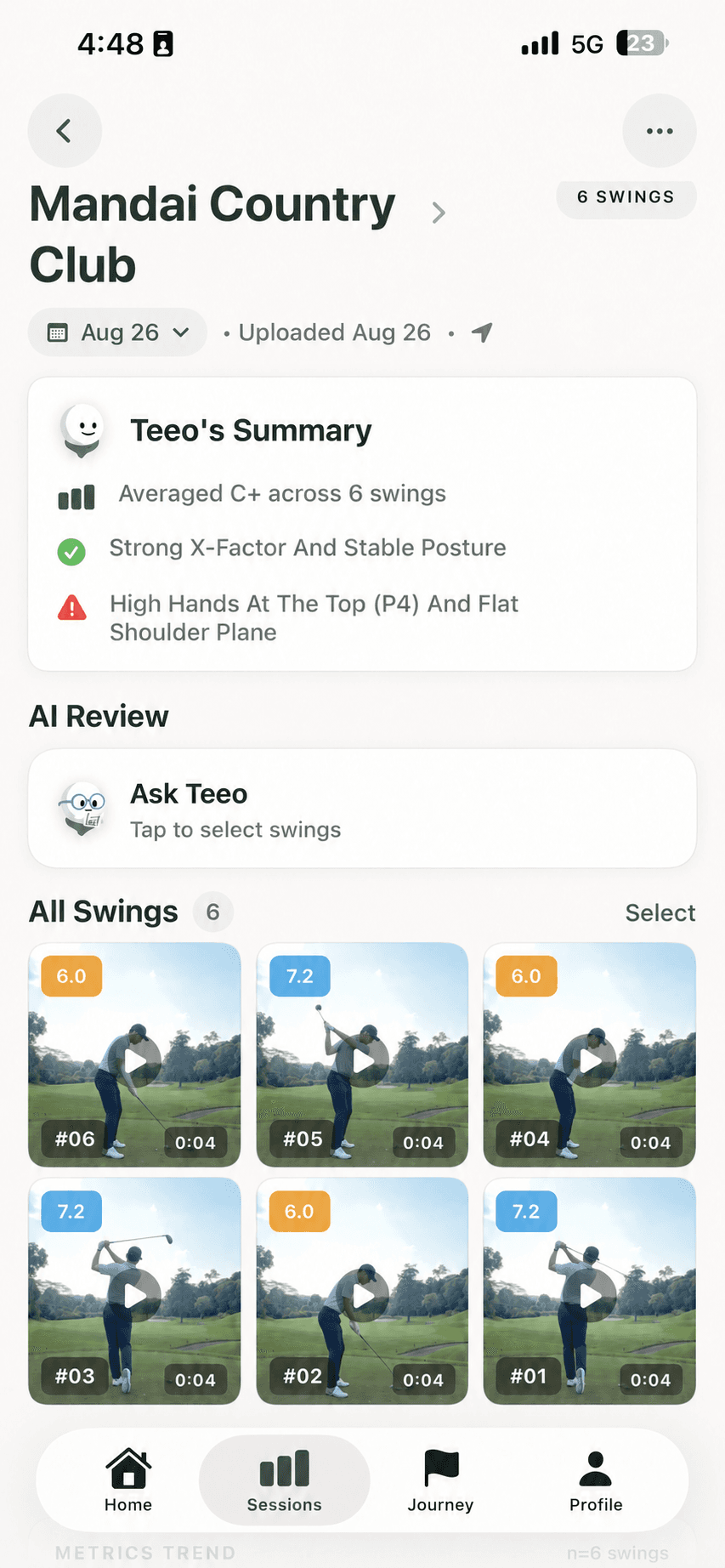
02
Turn a recording into individual swing clips, organised together in your session.
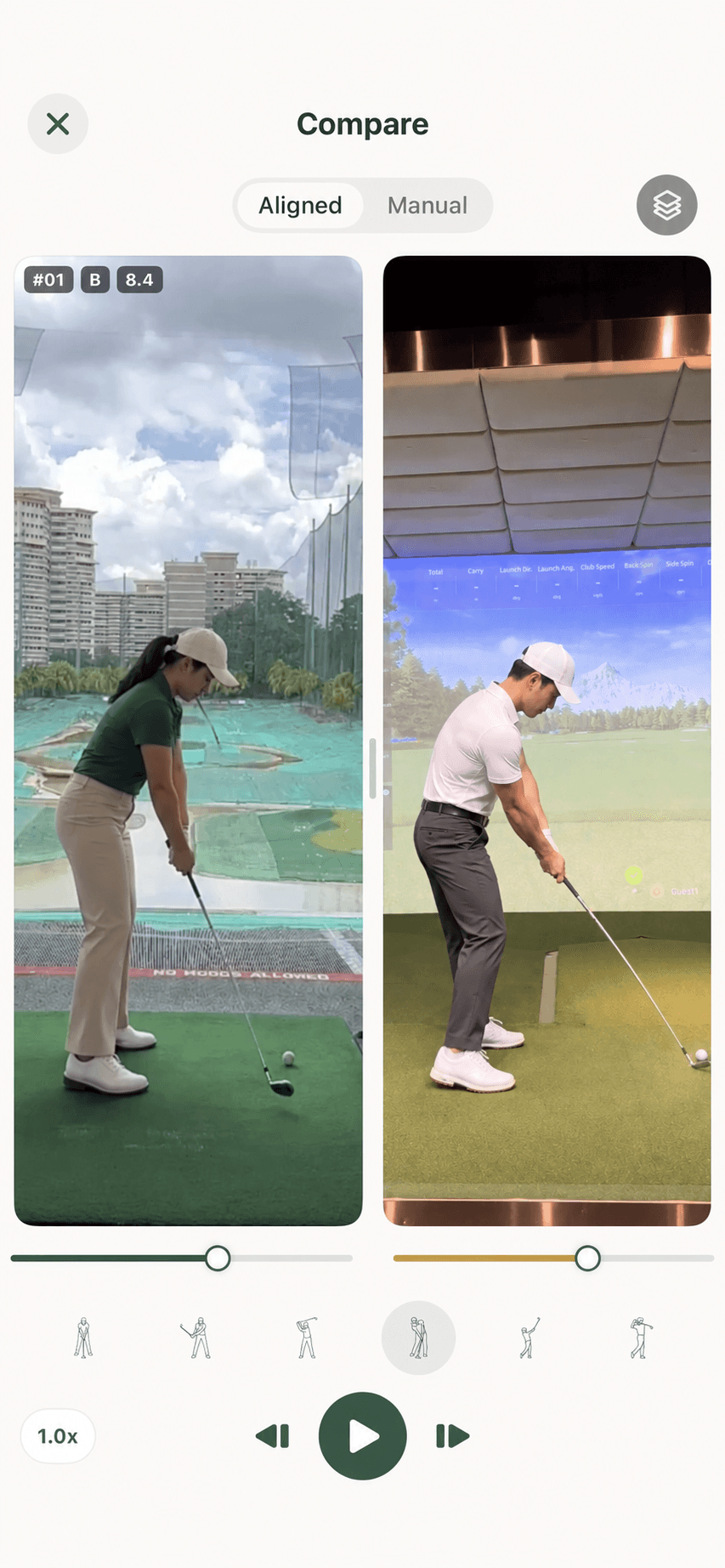
03
Bring two swings together. Scrub through the movement and see what changed.
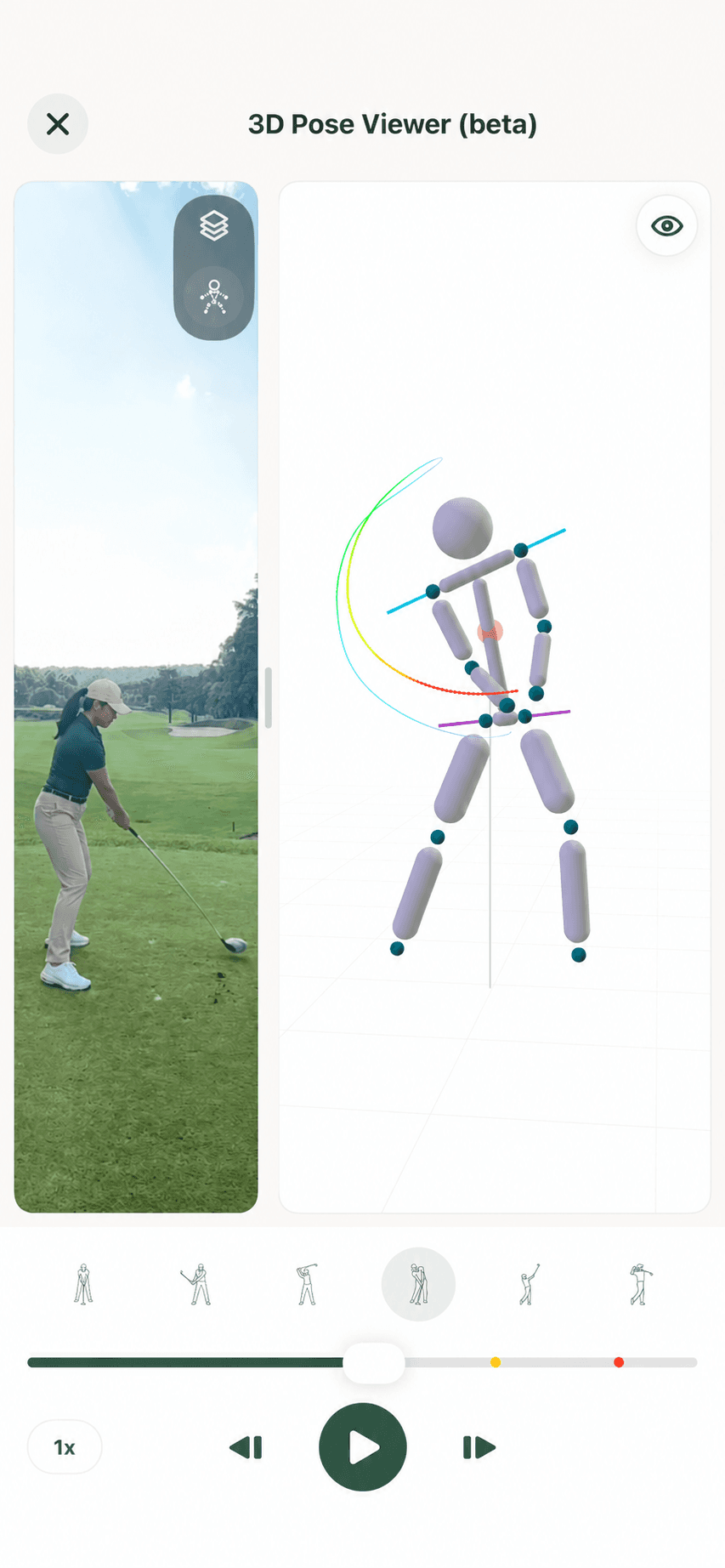
04
Look at your movement from another angle with a 3D view of your swing.
05
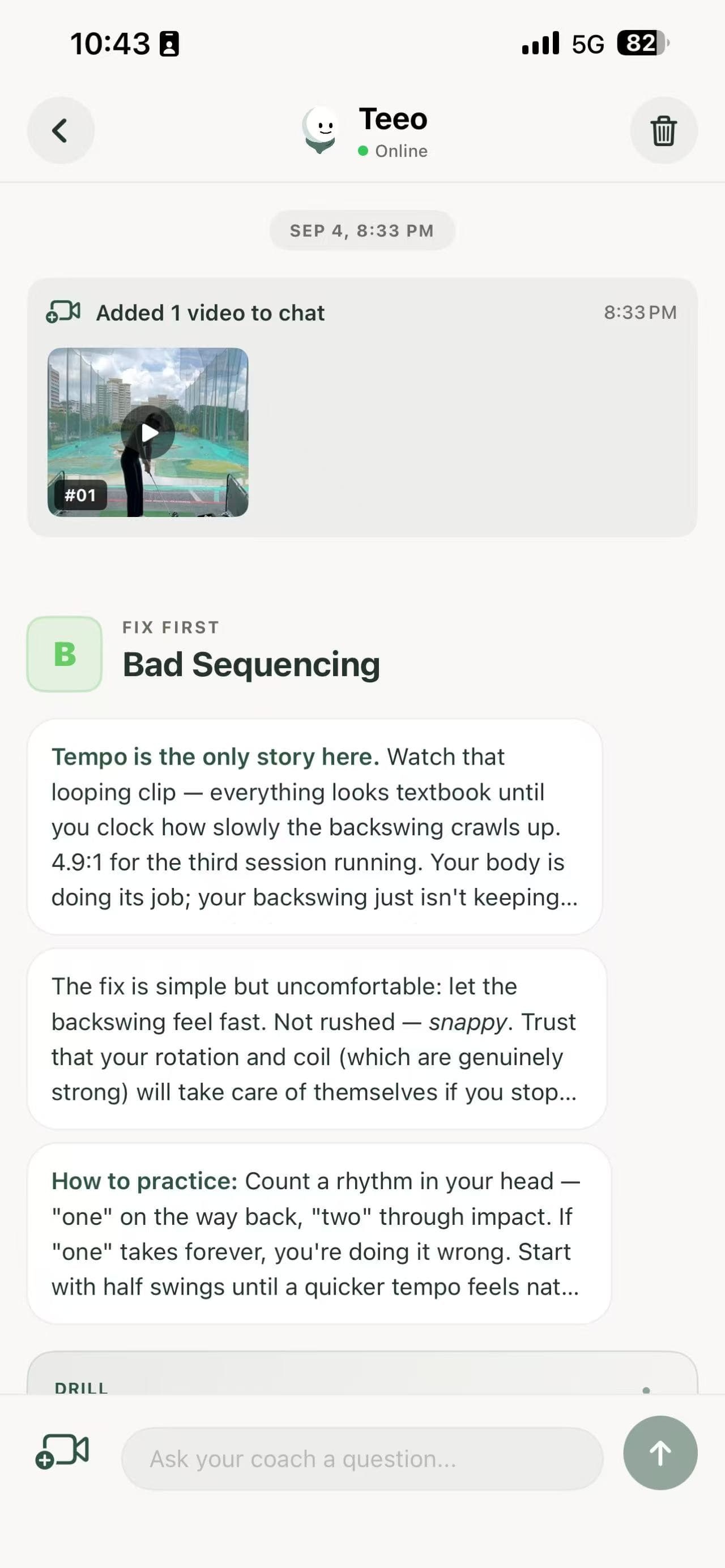
Find a clear practice priority, understand the feedback, and take one drill to the range.
Free recording · Advanced tools and AI guidance with Pro
Your game. Your starting point.
New to golf or refining the details — find a way to make your next session count.
Bring something you’re working on. Practise with that focus, compare your recordings, and look at what changed.
You might ask
“I’m working on early extension. What should I focus on today?”
Choose your focus
Record and practise
Compare your swings
Your session, in focus
Example app views
THE LEARNING LOOP
We’re building towards a Teeo that learns from what you practise and how you respond, making each session’s guidance more relevant to you.
Each session adds context for the next.
Record and auto-trim swings. Review your clips with drawing, trace, and frame-by-frame tools.
Add AI feedback, practice suggestions, 3D analysis, side-by-side comparison, and progress trends.
From the blog
Plan your practice, record your swing, and find tools that fit your routine.
Where to put your iPhone to film your golf swing: straight down-the-line or face-on, level at chest height, in bright light, with your whole body and club in frame.
5 min readTroubleshoot golf swing recording problems, including a cut-off club, dark footage, shaky video, and camera angles that make comparisons misleading.
4 min readChoose a golf swing analysis app for the way you practice. Compare recording, video review, AI feedback, practice history, subscriptions, and privacy.
4 min readNot sure what to practice at the driving range? Pick one focus, work through a simple session, and leave knowing what to try next time.
5 min readAn honest comparison of Teeo, V1 Golf, Sportsbox 3D Golf, GolfFix, Sparrow, Swing Profile and OnForm for beginner golfers: what each does best, what it costs, and who it suits.
5 min readTeeo and V1 Golf compared: AI practice guidance and progress tracking versus a classic video analysis toolkit with a coach network. Features, pricing and who each suits.
3 min readTeeo and Sportsbox 3D Golf compared: simple AI practice guidance versus detailed 3D body measurements. Features, pricing and which suits beginner golfers.
2 min readRecord your swing and review it in Teeo. AI feedback helps you choose a practice priority and a drill to try, so you have a clear starting point before building up a practice history.
Free includes swing recording, automatic trimming, and clip review tools. Pro adds AI swing review, 3D analysis, side-by-side comparison, focus practice suggestions, and progress trends. See Pricing for the plan comparison; current prices and any eligible trial are shown in the app before you subscribe.
Teeo is available for iPhone and requires iOS 17.6 or later. Use a steady camera and a clear view of your full swing, and follow the recording guidance in the app. You do not need wearable sensors or a launch monitor.
Teeo keeps your recorded swings organized into sessions, with comparison tools and progress trends that help you revisit what you worked on and review changes over time.
Yes. Use your recordings and practice history as a reference when discussing your practice with your coach. Keep their agreed priorities in mind between lessons and bring questions about your swing to your next session.
Yes. Teeo is an AI golf swing analyzer and practice companion for iPhone. Beyond analyzing a single swing, it combines feedback, practice priorities, and session history to help you decide what to work on and review your progress.
Yes. Teeo organizes every recorded swing into practice sessions. You can compare swings side by side across sessions and review progress trends, so you can see what changed since your last range session.
Teeo is built for beginner and amateur golfers. Instead of a long list of faults, AI feedback gives you a single practice priority and a drill, so you have one clear thing to work on in each session.
Yes. Without a coach, Teeo helps you choose a practice focus and track how your swing changes. If you take lessons, you can use your recordings and practice history alongside your coach between sessions.
Our privacy policy describes how recordings and practice data are stored and used, including use to improve AI models and how to opt out. For questions about your recordings or a data deletion request, contact contact@teeo.io.
Manage or cancel your subscription in your App Store account settings. For help with Teeo, email contact@teeo.io. You can review the plan details on our Pricing page.
Your practice, kept
Teeo is now available for iPhone. Start free and turn every swing into a clear next step.

Free to download · Requires iOS 17.6 or later